The desk booking software
that brings structure to hybrid work,hassle-free
Say goodbye to office desk friction and phantom reservations. Enable your team to book desks, manage hot desking, and optimize office space in real time.
The easiest desk booking app to organize your hybrid office
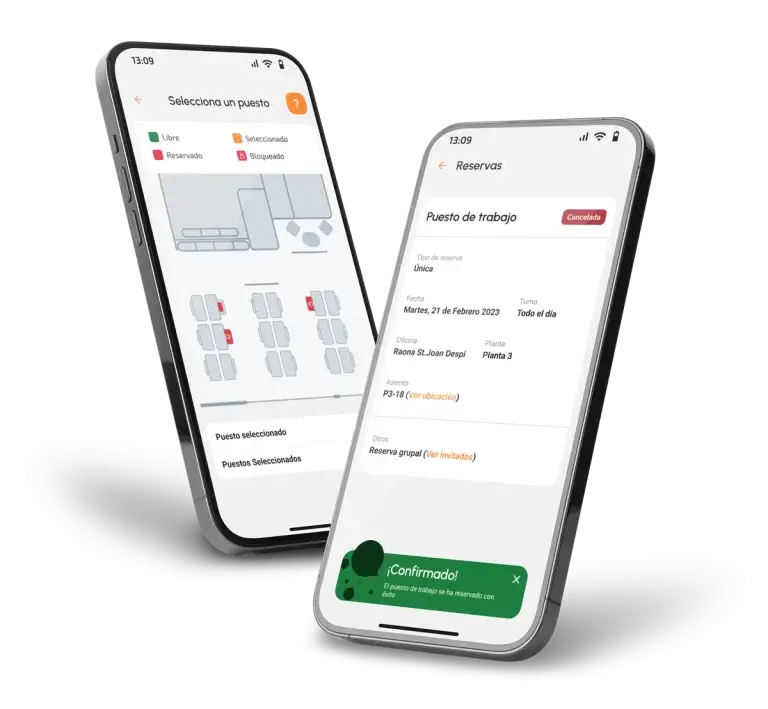
Eliminate the daily struggle of finding a seat. Our intuitive hot desk booking app allows employees to reserve their workspace in seconds from mobile, web, or Microsoft Teams.
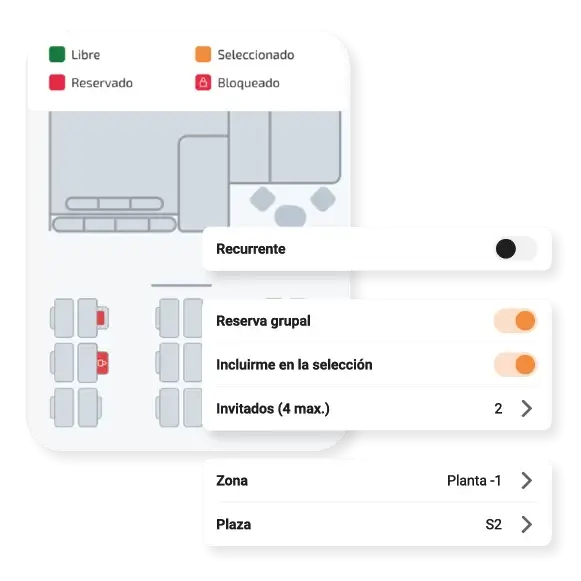
Interactive 2D/3D office floor plans
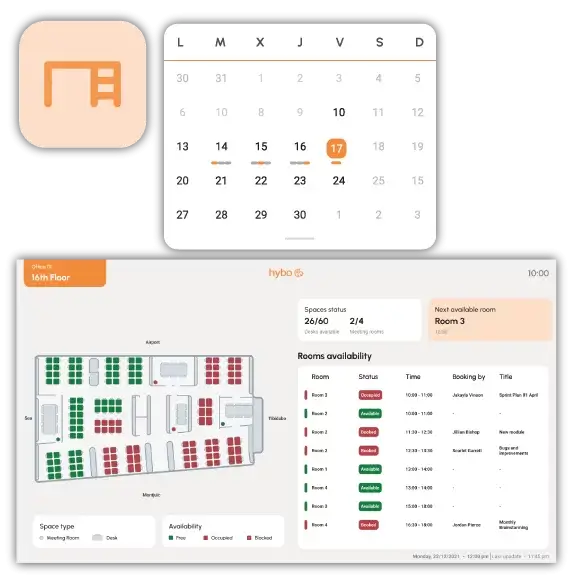
Real-time seat availability check
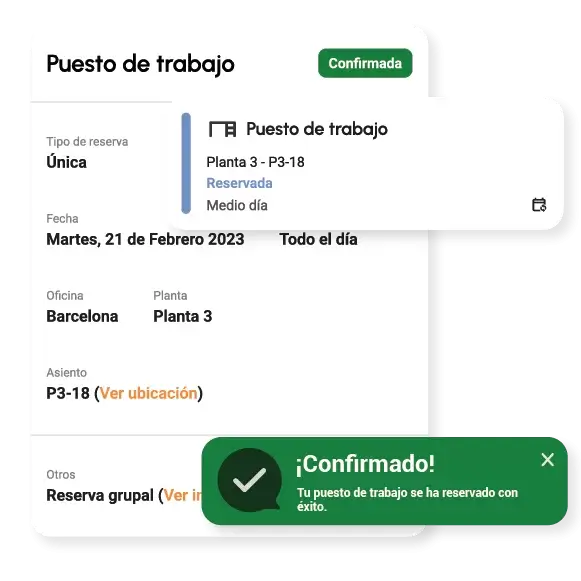
One-click booking via mobile app
Seamless Outlook & Google Calendar sync
Connect Hybo to your tools,in less than five minutes
No show in 15 minutes? Your office desk is automatically freed
Stop wasting prime office space on ghost bookings. Hybo's office desk reservation system automatically releases unconfirmed desks so your team always finds a place to work.
INTEGRATIONS
Connect Hybo with your daily tech stack
A powerful desk booking system that seamlessly connects with Microsoft Teams, Outlook, Google Workspace, and Slack.
The hot-desking tool your employees will actually want to use
Hybo is the workspace booking solution for your corporate environment.
With Hybo’s analytics you can monitor current and future office occupancy to measure performance. Hybo lets you track the use of corporate spaces and plan ahead.
360° PLATFORM
Control your office and your entire workplace from a single app
A 360° tool that integrates seamlessly into your team’s day-to-day, simplifying desk and room booking without changing the way they work.
Interactive floor plans
Lets employees view a real-time map of the office and select their exact desk or work zone visually and intuitively.
Native integration
Instant sync with everyday tools like Microsoft Teams, Outlook and Google Workspace to book desks straight from the calendar.
Smart Check-in
Confirms desk occupancy via QR code or sensors on arrival at the office, validating real desk usage.
Automatic release
If an employee doesn’t check in on time, the desk is automatically released and made available to a colleague.
Flexible usage rules
Set custom policies such as weekly day limits, zone allocation by department, or fixed desks vs. hot-desking space.
Team location
Lets employees see which part of the office their team will be working in that day, encouraging collaboration and in-person interaction.
Go beyond simple bookings — create experiences for your people
Manage and optimise your corporate spaces with everyday experiences for your teams.
Workplace
Smart management of desks, meeting rooms and shared resources with dynamic booking to optimise corporate spaces. Smart desk management.
Desks
Meeting rooms
Lockers
Visits
Incident management
Smart offices
Mobility
Smart management of desks, meeting rooms and shared resources with dynamic booking to optimise corporate spaces. Smart desk management.
Parking
Carfleet
Shuttle
Carpooling
Engagement
Smart management of desks, meeting rooms and shared resources with dynamic booking to optimise corporate spaces. Smart desk management.
Communication
Benefits
Activities
Challenges
Corporate hospitality
What people working with Hybo say
“My overall experience has been very good. I'd recommend the tool to any HR manager looking for something similar, both as a user and as an administrator.”
Silvia, Talent Manager
Location: Spain
Employees: +600
“Admin of the software in general is straightforward, bookings are easy to make, and the Microsoft Outlook integration makes it even easier to use.”
Sergio, Facility Manager
Location: Argentina
Employees: +5000
“As an administrator it could be improved as already mentioned in the drawbacks question — allowing bookings from the floor plan in admin mode too, so it's easier to support with bookings.”
Juan Carlos, IT Specialist
Location: México
Empleados: +200
FAQs
Is it easy to integrate desk booking with our everyday work tools?
Absolutely. It integrates natively in just a few clicks with Microsoft Teams, Outlook and Google Workspace. Your team can book their desk directly from the calendars or apps they already use every day, with no learning curve.
How is check-in managed to confirm a desk is actually being used?
Employees confirm their arrival by scanning a QR code at the desk or via the mobile app. If they don't check in within the configured time window, the desk is automatically released for a colleague to use.
Can we assign fixed desks to certain employees and hot-desking to others?
Yes, the platform lets you define fully custom rules: you can lock permanent desks for certain profiles and leave dynamic hot-desking zones by shift, department or project.
How does Hybo help encourage in-person team collaboration?
Through the interactive map, employees can see in real time where their colleagues or managers will be sitting that day, making it easier to choose nearby desks to work together spontaneously.
What information does the Facilities team get about office usage?
Hybo generates automatic reports on peak days, most-requested desks and underused zones — key data for strategic decisions on redesigning or resizing space.
Rellena el formulario para descargar nuestro informe